Skip to content
Menu
Learning Technologies (Archive)
  • Home
  • Web Resources
    • Blogs
      • How To – Blogs & Websites
    • Websites – School & District
    • MyEd Teacher Resources
    • O365 Resources
    • TEAMS and 365
    • Fast ForWord Intervention
  • Apps / Software
    • Apps Supporting Story
    • Creativation -Digital Story with Green Screen
      • Set Up Your Green Screen Kit
      • How to Create a Video Story
      • Story Examples using Green Screen
    • IPAD EVERYTHING
      • Top “22” Apps for 2022
      • Apps Supporting Story
      • Green Screen – Curiosity Engaged
        • Set Up Your Green Screen
        • How to Create a Video Story
        • Story Examples using Green Screen
        • Creativation – Studio Recordings
    • All The Right Type – ONLINE
    • Audacity
    • Images & Video
    • Inspiration
    • Kidspiration
  • Curricula
    • ADST
      • All The Right Type – ONLINE
      • 3D Design + Printing
      • Coding
        • BeeBots
        • micro:bits
        • Minecraft for Education
        • Spheros
    • All The Right Type – ONLINE
    • Core Competencies
    • Curricular Templates
    • Communicate Learning via Digital Portfolios
    • Digital Literacy
    • Team O365 & Makerspaces Writing
    • Literacy
      • Literature Circles
      • Performance Standards
      • Words Their Way
      • Writing Workshop
        • Assessment Organization
    • Tech Workflows
    • Visual Literacy
    • Project Stories Unfolded
Learning Technologies (Archive)

ADST

What do the concepts of social emotional (perseverance, resilience, self regulation), curiosity, exploration and problem solving have in common? They are all intricately woven in the fabric of Applied Design, Skills and Technology.

Invention, creation and ‘learning by doing’ inspires and challenges students to dig deep, work with problems and adapt to a changing world. This curricular area involves Computational Thinking, Business Education, Home Economics/Culinary Arts, Information/Communication Technology and Technology Education.

Digital Literacy

File management

Blogs as Communication

ePortfolios to Communicate Student Learning

Book Creator

Coding

BeeBots (K/1)

micro:bits

Minecraft for Education

Spheros

Integration of Curricula

MakerSpaces and Writing

Writers Workshop

What’s Your Story?

Green Screen

Keyboarding (Gr 6+)

Media Arts

Images/Graphics

Design/Video/Audio


Elementary Possible Starting Points: 

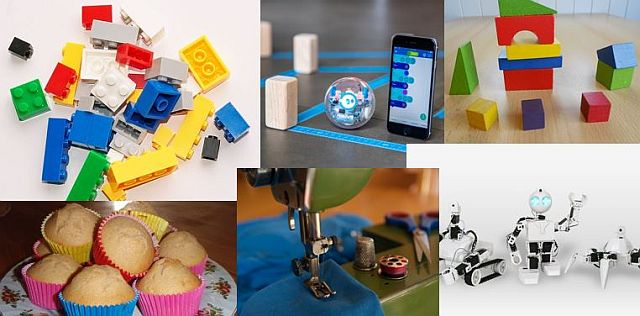
At the elementary level, these experiences can be captured through centers focused on developing the mindset capacity of Computational Thinking in ADST. Including the core competencies of Personal Awareness, Communication and Critical Thinking provides a greater depth to the sessions.

Centers allow multiple entry points to include something for everyone (a success story waiting to unfold). Each center is designed for active engagement in both the building/making aspect, as well as revealing self regulation, perseverance, resilience… (Personal Awareness Competency). Reflection during and afterwards is key to explicitly connect the maker mindset and language of the competencies (critical thinking, communication, personal awareness) in using “I can…” statements.
The following instructions are part of our growing number of centers. You can download each of the instructions to glue onto cards. (Some centers may require further supplies and these are listed by *.)

Price List (Purchase list to create your own)
Competencies Outlined for Each Center (Core Competencies and Curricular Competencies)

Email me if you wish to borrow our full set of center activities.

  1. Elenco Snap Circuits (develop an electronic mindset; solve a problem; create new solutions)
  2. Binary Code & Indigenous Loom Beading (ASCII Binary Code Table, box looms [*variety of colours of seed or pony beads, thread, long needles, E6000 glue, small amount of fabric covering ends, keychain rings]
    1. option online mapping: Beadographer  [NEW]
  3. Circle Loom Knitting: create knitting weave patterns to create products (*bulky yarn)
  4. Graffiti Board (*need whiteboard, coloured whiteboard pens, eraser)
  5. Keva Planks
  6. Lego Chutes Plus (ramps, physics in action)
  7. LittleCodr cards (unplugged) [schools have own set of cards]
  8. Makey Makey (kit 1) (*need computer, playdough, graphite from pencils, tin foil)
  9. Makey Makey (kit 2) (*need computer, playdough, graphite from pencils, tin foil)
  10. Pixel Art [NEW UPDATED] (*need computer Excel spreadsheet or graph paper);  OR Online version: Pixel Art;  OR Beadographer
  11. Code.org (online) (*needs computer)
  12. Hopster Coding Safari (NEW), Crossy Road, LightBot, CargoBot, ScratchJr, Swift Playgrounds (*aimed at Primary; ipads with downloaded apps, need wifi)
  13. TuringTumble: build mechanical computers powered by marbles to solve logic puzzles (schools have this)
  14. Picture books: captioning concepts of ADST, design thinking, digital citizenship
  15. Garage Band (*need ipad with app)
  16. Sphero robots (*schools have their own set; need ipad with app) Charging instructions (Recommended 6-Port USB charger)
  17. Bee-Bots (unplugged & plugged robot K-1, borrow this from DLRC OR email (Janet.Chow@burnabyschools.ca) for a hive
  18. Ollie (robot similar to Spheros) (*needs ipad, borrow from DLRC)
  19. Dash-N-Dot (*needs ipad, borrow from DLRC)
  20. Lego We-Do (*needs ipad, borrow from DLRC)
  21. mBot (robot) (*needs ipad, borrow from DLRC)

More ADST ideas?

Check out our posts on this topic. Hover over and click for details.

On the Educational Technologies front…
The streets are lined with golden leaves and the air is crisp and clear. It must be November. Hard to
September – A New Year
Welcome back! It's great to still have summer weather around as we ease into another year of discovery, exploration and
It’s 2018 – Moving Forward
It's already  22 days into the new year! Recently we moved all classroom blogs and student BlogFolios to a new
Unplugged Activities – Hour of Code (ADST in Action)
Last week we discussed the term 'computational thinking'. Tick, Tock - BUT there's only so many hours in the day!
“Notice and Name It” – ADST & Hour of Code
One of the most important foundations of ADST is "Computational Thinking".  OK right now, you're probably wanting to run away.
Hour of Code
PSSST.... Do you know what's just around the corner?  Come join us as we celebrate and learn during the Hour
Updated Top 20 Apps for 2017
Finally rounding off our list of vetted "must have" TOP 20 APPS for 2017. While these are in no order,
Must be App Smash Time – List for 2016-2017
Seems like the world of apps is constantly shifting with an abundance of tools that promise just about everything except
« Previous 1 2

NEW: Burnaby Learning Community Team

Archive Content

  • MyEd Teacher Resources
  • Websites – School & District
  • Blogs – HOW TO
    • Blog as Story
  • IPAD EVERYTHING
    • Apps Supporting Story
    • Top “22” Apps for 2022
    • Profiles on iPads Explained
    • iPad Workflows
  • Creativation -Digital Story with Green Screen
    • Set Up Your Green Screen Kit
    • How to Create a Video Story
    • Story Examples using Green Screen
    • Creativation – Studio Recordings
  • Assessment Series – Katie White
  • Curricula Templates
  • Digital Citizenship
  • Digital Literacy
  • Innovative Teaching & Learning
  • Tools that Make a Difference

Archives

Contact Our Team

Lucky Saini  (District Vice Principal Educational Technology)

Michelle Mactavish  (Education Technology Support Teacher)

©2026 Learning Technologies (Archive) | WordPress Theme by Superbthemes.com