Skip to content
Menu
Learning Technologies (Archive)
  • Home
  • Web Resources
    • Blogs
      • How To – Blogs & Websites
    • Websites – School & District
    • MyEd Teacher Resources
    • O365 Resources
    • TEAMS and 365
    • Fast ForWord Intervention
  • Apps / Software
    • Apps Supporting Story
    • Creativation -Digital Story with Green Screen
      • Set Up Your Green Screen Kit
      • How to Create a Video Story
      • Story Examples using Green Screen
    • IPAD EVERYTHING
      • Top “22” Apps for 2022
      • Apps Supporting Story
      • Green Screen – Curiosity Engaged
        • Set Up Your Green Screen
        • How to Create a Video Story
        • Story Examples using Green Screen
        • Creativation – Studio Recordings
    • All The Right Type – ONLINE
    • Audacity
    • Images & Video
    • Inspiration
    • Kidspiration
  • Curricula
    • ADST
      • All The Right Type – ONLINE
      • 3D Design + Printing
      • Coding
        • BeeBots
        • micro:bits
        • Minecraft for Education
        • Spheros
    • All The Right Type – ONLINE
    • Core Competencies
    • Curricular Templates
    • Communicate Learning via Digital Portfolios
    • Digital Literacy
    • Team O365 & Makerspaces Writing
    • Literacy
      • Literature Circles
      • Performance Standards
      • Words Their Way
      • Writing Workshop
        • Assessment Organization
    • Tech Workflows
    • Visual Literacy
    • Project Stories Unfolded
Learning Technologies (Archive)

Digital Footprint & Reputation is April’s Theme

Posted on April 5, 2016

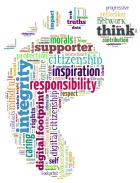
digi_footprintHave you ever walked on a sandy beach or a muddy trail, turned around only to see your footprints clearly left behind? The same thing happens when you enter the web world but the difference is your online activity can leave a permanent trail… a digital footprint that is a reflection of who you are. As every digital citizen has a significant amount of control over what is shared and how it is shared, what kind of footprint do you want to create as you walk in your daily digital path?

Don’t sweat! Your digital presence and reputation is in your hands. Choose to build a positive online identity – one that truly represents the kind of person you want to be. Before you share, stop and think about the identity you are choosing to build and maintain, and reflect on how it will affect your reputation now and in the future. Take pride in your digital footprint at any age. People in all walks of life will respond well to a positive online representation of you whether you are 10 or 110! Click here for classroom activities. Visit our Digital Citizenship blog for additional information and resources.

Our Digital Citizenship Contest continues this month! Click here to learn more. Check out the great student work from our February and March winners too!

Leave a Reply Cancel reply

Your email address will not be published. Required fields are marked *

NEW: Burnaby Learning Community Team

Archive Content

  • MyEd Teacher Resources
  • Websites – School & District
  • Blogs – HOW TO
    • Blog as Story
  • IPAD EVERYTHING
    • Apps Supporting Story
    • Top “22” Apps for 2022
    • Profiles on iPads Explained
    • iPad Workflows
  • Creativation -Digital Story with Green Screen
    • Set Up Your Green Screen Kit
    • How to Create a Video Story
    • Story Examples using Green Screen
    • Creativation – Studio Recordings
  • Assessment Series – Katie White
  • Curricula Templates
  • Digital Citizenship
  • Digital Literacy
  • Innovative Teaching & Learning
  • Tools that Make a Difference

Archives

Contact Our Team

Lucky Saini  (District Vice Principal Educational Technology)

Michelle Mactavish  (Education Technology Support Teacher)

©2026 Learning Technologies (Archive) | WordPress Theme by Superbthemes.com