An e-reader or e-book reader is a portable electronic device that is designed primarily for the purpose of reading digital books and periodical s. However, with technology advancements, digital reading has been extended to a broader medium that includes using static or mobile devices versus using smaller portable ones such as the Smartphone/iPhone. The war on making e-publications available for download has inspired competition between Apple (iPad), Google (eBooks) and Amazon (Kindle) to name a few. While the tug aware between publishers and selection of the best devices is being deliberated, educators are trying to make sense of it all. Schools want to make sure that money is spent thoughtfully so that it can encourage ubiquitous access to reading materials, engage students, and provide seamless integration of technology in the classroom or library program.
My perspective is based on what Canadian students can obtain for free for a small sample of devices explained below.
For example, the Kindle, an electronic reader, seems user-friendly, but 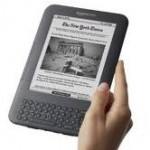 currently relies on a proprietary Amazon system. Students are free to delve into an uninterrupted reading experience because they are not enticed by the Internet, videos, and/or social media sites. However, the latest Kindle by Amazon will allow Wi-Fi access while providing sophisticated annotation capabilities. At roughly $140 each, it sure sounds enticing as a personal device, yet online sources suggest that the Kindle lacks library support.
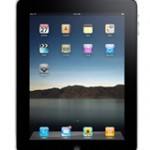 The Apple iPad, a much more expensive device, enables users to read e-books and interact with the web through wireless connections. Since Apple has an extensive App market, the number of educational applications may make it attractive to educators. Once the iPad uses the iPlayer App which allows Canadian users to watch live TV, this device will be quite appealing? In addition to the iBook App, OverDrive Media Console also provides local library support for students.
On Apple’s tail is Google’s Android market. Those of you with new Smartphones have probably spent hours downloading and installing free Apps. “OverDrive Media Console can be downloaded for free from “Library to Go” (http://downloads.bclibrary.ca) which allows users to  read/listen/annotate “e-books” depending on type of phone. Imagine, students using their phones to read novels or magazines from their local library. As Google continues to pick up free books online, e-readers may start their day on computers, use a mobile phone to read in transit and finish off their reading on an iPad.
With competition comes change and choice. Do we wait to purchase these devices for student use until the market settles and publishers get their act together? How are teachers using any of these in instruction? What titles are being accessed by students and why? How do we complement what is already available in schools? As you can read, I still have many questions, so feel free to comment on your experiences.