From the iPad, you can access your O365 account. When you are ready to close, make sure you have cleared your account so no one else can accidentally see your account information. You will find the instructions for that at 3.17 mark.
Month: April 2021
ChatterPix – Image and Voice Collide
Use ChatterPix to tell a story. Take a picture, draw a line for the mouth, and record. This recording allows 30 seconds. Connect to learning – Story is as much about what is said and what is hidden behind the pages. At its simplest, this app could be used to record a single segment of…
Voice Record Pro – Audio Story
Use Voice Record Pro to record an audio story. This professional grade quality app is handy for communicating voice. Use the meter to gain immediate feedback while you are recording. Tell your story, read a book, record a speech. Listen to the results and independently self assess. Decide if there are parts that you wish…
Draw and Tell
Draw & Tell is a great app for Primary to use in storytelling. The simple interface provides opportunity for drawing, puppet stickers and audio recording to tell an animated story. You can also add in a captured image of a story workshop or a hand drawing as background. Multiple uses in documentation. Background images…
Convert IPad Videos using Photos/Video App
Using the Photos/Video App on Windows10 can be used to convert ipad videos into mp4. When uploaded to websites, it uses the native video player to give a better audience experience.
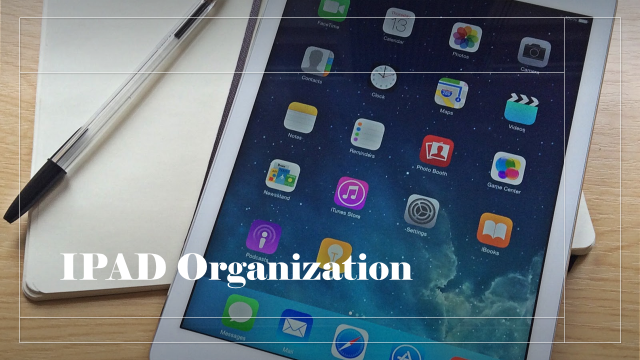
IPad Organization
Organizing apps will save you time. It is also part of Digital Literacy – File Management. Categorize apps into groups and create folders to house them. This example uses types of action (DO) as the organizing structure. What about using external microphones to get better recordings? There are lots of options. This particular one takes…

Create Shortcuts on IPads
Shortcuts of highly used websites is a must for easy access and support efficiencies in time. This video will show the steps how you can add your class blog sites, student blogFolios or any website to your idevice.
Upload Files from IPAD to Blogs (or student blogFolios)
Upload any media file saved on your idevice to your classblog or student blogFolios. Simply follow these steps.
Showcasing IPAD created videos on Blogs or Websites
Videos created on ipads are saved as .mov files and are large and bulky. When uploading to a website, converting to mp4 or m4v and compressing offer a streamlined experience for audiences. Using Any Video Converter (free downloadable: https://www.any-video-converter.com/) completes this process in one go. If you have more than one video, this process is…