Skip to content
Menu
Learning Technologies (Archive)
  • Home
  • Web Resources
    • Blogs
      • How To – Blogs & Websites
    • Websites – School & District
    • MyEd Teacher Resources
    • O365 Resources
    • TEAMS and 365
    • Fast ForWord Intervention
  • Apps / Software
    • Apps Supporting Story
    • Creativation -Digital Story with Green Screen
      • Set Up Your Green Screen Kit
      • How to Create a Video Story
      • Story Examples using Green Screen
    • IPAD EVERYTHING
      • Top “22” Apps for 2022
      • Apps Supporting Story
      • Green Screen – Curiosity Engaged
        • Set Up Your Green Screen
        • How to Create a Video Story
        • Story Examples using Green Screen
        • Creativation – Studio Recordings
    • All The Right Type – ONLINE
    • Audacity
    • Images & Video
    • Inspiration
    • Kidspiration
  • Curricula
    • ADST
      • All The Right Type – ONLINE
      • 3D Design + Printing
      • Coding
        • BeeBots
        • micro:bits
        • Minecraft for Education
        • Spheros
    • All The Right Type – ONLINE
    • Core Competencies
    • Curricular Templates
    • Communicate Learning via Digital Portfolios
    • Digital Literacy
    • Team O365 & Makerspaces Writing
    • Literacy
      • Literature Circles
      • Performance Standards
      • Words Their Way
      • Writing Workshop
        • Assessment Organization
    • Tech Workflows
    • Visual Literacy
    • Project Stories Unfolded
Learning Technologies (Archive)

Hour of Code

Posted on December 7, 2015February 8, 2016
via Code.org https://studio.code.org/hoc/1

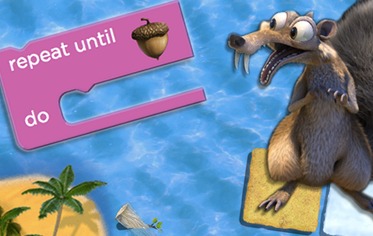
This week (Dec 7 – 13) starts an international phenomenon – The Hour of Code. In celebration of Computer Science Education week, this worldwide event (more than 4400 in Canada and across 180 countries) offer an opportunity for teachers and students to dabble in computer coding and demystify the basic workings of video games and computer processes.

Technology has infiltrated almost everything in our lives. From Gameboy and Wii consoles to FitBits, wearable technologies that sing to you and artificial mini heart pumps, it all starts with a little bit of problem solving and logic. More specifically introductions of directions like “walk 2 spaces, turn left” to conditional logic “if this happens, then do that..” Reminds me a bit of writing those “create your own adventure” novels. At its very core are the foundations of problem solving, logic and creativity. Yes it takes creativity to give a character a set of possibilities beyond the gameboard. What about soft skills like risk-taking, persistence, cooperative learning, collaboration, conversation, self regulated learning, experiential learning – all part of the journey deeply embedded in authentic practice. Who hasn’t gotten caught up in Candy Crush or Angry Birds?  Code resides under the larger umbrella of Digital Literacy. It is also part of the new curriculum (embedded in each curricular area) with its own framework K-9 Applied Design, Skills and Technologies (draft). 

Come join us this week or spill into next week. Our focus goal is ‘purposeful play’.  Here are some resources to get you started (and NO you don’t always need computers):

  • An Educators Guide to Hour of Code (youtube video)
  • Hour of Code
  • No computers? Start with Creating Robot Language (use cups and pencil). Fun, Fun, Fun!
  • Tutorials for teachers/students to watch and do (build activities – Star Wars, Frozen, Minecraft)
  • Make drawings with code (Khan Academy)
  • Program with Tynker (structured online creations) *Be aware of FIPPA as content resides on US servers (sign up students with minimal student information)! If you’re unsure, please email our Learning Technologies team.
  • Got iPads? Hopscotch Hour of Code

Please share your stories with us or scribble a comment here. We would love to hear your thoughts and experiences.

Leave a Reply Cancel reply

Your email address will not be published. Required fields are marked *

NEW: Burnaby Learning Community Team

Archive Content

  • MyEd Teacher Resources
  • Websites – School & District
  • Blogs – HOW TO
    • Blog as Story
  • IPAD EVERYTHING
    • Apps Supporting Story
    • Top “22” Apps for 2022
    • Profiles on iPads Explained
    • iPad Workflows
  • Creativation -Digital Story with Green Screen
    • Set Up Your Green Screen Kit
    • How to Create a Video Story
    • Story Examples using Green Screen
    • Creativation – Studio Recordings
  • Assessment Series – Katie White
  • Curricula Templates
  • Digital Citizenship
  • Digital Literacy
  • Innovative Teaching & Learning
  • Tools that Make a Difference

Archives

Contact Our Team

Lucky Saini  (District Vice Principal Educational Technology)

Michelle Mactavish  (Education Technology Support Teacher)

©2026 Learning Technologies (Archive) | WordPress Theme by Superbthemes.com