Skip to content
Menu
Learning Technologies (Archive)
  • Home
  • Web Resources
    • Blogs
      • How To – Blogs & Websites
    • Websites – School & District
    • MyEd Teacher Resources
    • O365 Resources
    • TEAMS and 365
    • Fast ForWord Intervention
  • Apps / Software
    • Apps Supporting Story
    • Creativation -Digital Story with Green Screen
      • Set Up Your Green Screen Kit
      • How to Create a Video Story
      • Story Examples using Green Screen
    • IPAD EVERYTHING
      • Top “22” Apps for 2022
      • Apps Supporting Story
      • Green Screen – Curiosity Engaged
        • Set Up Your Green Screen
        • How to Create a Video Story
        • Story Examples using Green Screen
        • Creativation – Studio Recordings
    • All The Right Type – ONLINE
    • Audacity
    • Images & Video
    • Inspiration
    • Kidspiration
  • Curricula
    • ADST
      • All The Right Type – ONLINE
      • 3D Design + Printing
      • Coding
        • BeeBots
        • micro:bits
        • Minecraft for Education
        • Spheros
    • All The Right Type – ONLINE
    • Core Competencies
    • Curricular Templates
    • Communicate Learning via Digital Portfolios
    • Digital Literacy
    • Team O365 & Makerspaces Writing
    • Literacy
      • Literature Circles
      • Performance Standards
      • Words Their Way
      • Writing Workshop
        • Assessment Organization
    • Tech Workflows
    • Visual Literacy
    • Project Stories Unfolded
Learning Technologies (Archive)

Blending Environments – Digital Citizenship is Participation

Posted on May 6, 2014May 7, 2014

“Stop at the curb. Take my hand. Look left, look right and look left again.” Remember this? I remember this as if it was yesterday. Many of you are recalling when you first started teaching your children the rules of the road.  I don’t ever recall saying the streets are too full of danger so we should stay in the house.  Imagine not being allowed to play in the sand or climb up mountains or jog through trails or wade through streams.  Life demands that we explore, create, build, communicate and share.

So why are we so quick to avoid or dismiss environments that we might not be comfortable. Take for example the ‘digital world’.  Some believe in full access while others are all for blocking this and that. Either way, there is consensus that “digital citizenship” should be taught.  Rather than a list of “don’ts”, I see digital citizenship beyond internet safety, netiquette, schoolhouse management, security, or even footprint. Citizenship requires participation, a belonging to a greater whole, including rights and responsibilities to the community. From this perspective, the digital environment is not separate from the physical environment; they seamlessly co-exist. We learn through active participation, responsible participation and authentic participation. (Someone can tell me a million times how to make pastry but until I get into the floury mess I will never learn it or know how it turns out.)

What we might consider is explore what citizenship looks and feels like in the digital world, joining a community of practice within our schools and to venture with others to share our experiences and story with the larger community. Connectedness and authentic learning happens at the intersection. Conversation extends and deepens the relationships built in both face-to-face and digital environments.
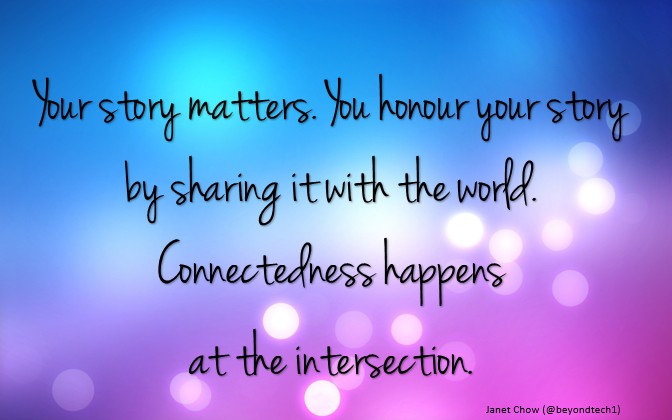
myquote_connect

Becoming a digital citizen means engaging with the world in authentic, purposeful and intentional ways. This comes with practice and in our schools, guided practice. This means that we have to model those practices. As we continue to work and explore ideas in this arena, we invite you to come play with us.  Just as we started with teaching the basics of crossing the street, our digital sandbox works within frames to purposefully guide and support the learning.  On May 22, we have a beginning launch for K-7 teacher leaders and mentors, administrator as learners to experience and reflect on some of these ideas. Registration  is through our Staff Development Calendar. Please consider joining us.

Leave a Reply Cancel reply

Your email address will not be published. Required fields are marked *

NEW: Burnaby Learning Community Team

Archive Content

  • MyEd Teacher Resources
  • Websites – School & District
  • Blogs – HOW TO
    • Blog as Story
  • IPAD EVERYTHING
    • Apps Supporting Story
    • Top “22” Apps for 2022
    • Profiles on iPads Explained
    • iPad Workflows
  • Creativation -Digital Story with Green Screen
    • Set Up Your Green Screen Kit
    • How to Create a Video Story
    • Story Examples using Green Screen
    • Creativation – Studio Recordings
  • Assessment Series – Katie White
  • Curricula Templates
  • Digital Citizenship
  • Digital Literacy
  • Innovative Teaching & Learning
  • Tools that Make a Difference

Archives

Contact Our Team

Lucky Saini  (District Vice Principal Educational Technology)

Michelle Mactavish  (Education Technology Support Teacher)

©2026 Learning Technologies (Archive) | WordPress Theme by Superbthemes.com