Skip to content
Menu
sd41 Fast ForWord
  • Home
  • Program
    • Research
    • Getting Started
  • Interventions
    • Foundations I & II
    • Elements 1 / Elements 2
    • Reading Levels – Reading Comprehension
    • Reading Assistant Plus
  • Words Their Way
  • Assistive Software
  • Forms
sd41 Fast ForWord

Quick Start

Interventions

Support Tools

App #6 of “10 Apps to Countdown Season”

Posted on December 11, 2013February 1, 2014

App #6:   QR Codes (or Quick Response codes) are everywhere – in magazines, on professional cards, on billboards, websites, newsletters all because those little squares can be packed with information. You can even find them at the grocery store gracing the fruit section (giving you additional details of the grower).  Teachers have used them to create scavenger hunts using code readers apps on ipads or ipods, library book talks hidden in between the shelves,  research extensions on student blogs, or bulletin board information for parents.  All you need to translate the code is a QR code reader, most downloadable for free on smart phones or idevices.  Online QR code generators abound everywhere; my favourites include those that have a little added bling.
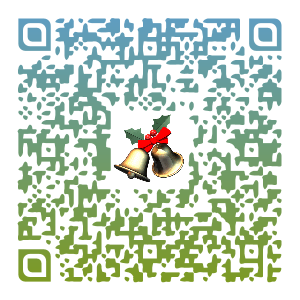
qr_quotemandela_unitag

Unitag offers a free qr code generator.  You follow the 1-2-3 step directions to get a QR code with

  • Type: text, weblink, geolocation, calendar, card, email lists
  • Customization: template shapes, colour, logo image;
  • Sharing options

Try the code reader: i-Nigma reader (for idevices, android, windows) to find out what is in this QR code?
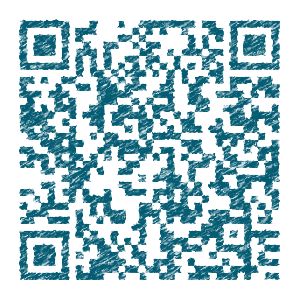
qr_quoteluck_beautifulqr


Beautiful QR Codes
 uses colour to add spice to its coding blocks.  Use a code reader to decipher this content.

qr_quotesuccess_voice QR Voice uses voice audio to share its message. You can type in the content or you can use a microphone to record your thoughts.  The site allows for multiple languages.  Check out the voice in this QR code.

Where can you use QR codes to enhance your curriculum?

Leave a Reply Cancel reply

Your email address will not be published. Required fields are marked *

Fast ForWord Login

  • STUDENT LOGIN
  • TEACHER LOGIN

SUBSCRIBE

Name

Email


Content

  • Assessment Practices
  • Growing Readers
  • How To's
  • iLearning with Apps
  • Innovative Teaching and Learning
  • Intervention Strategies
  • Learning Meet-ups
  • News
  • Professional Learning
  • Resources That Make a Difference
  • Uncategorized
  • Yearend Process

District Links

  • Learning Technologies
  • MyED Teacher Resources
  • Portal – SD41
  • Remote Learning Resources – SD41

Resources

  • ARC-BC
  • Assess | Comprehension Mazes Generator
  • Assess | Reading Passage Generator
  • Converter | Any Video Converter
  • CURATION/COLLAB | Wakelet
  • Image Editor | IrfanView
  • Literacy | Rewordify
  • Remote Learning Resources – SD41
  • Thesaurus | GraphWords
  • Thesaurus | Lexipedia
  • Translation App | Microsoft
  • Word Cloud | Jason Davies Word Clouds

Archives

Recent Posts

  • Happy Summer
  • Coming to Yearend
  • It’s October… oops Almost November

Pages

  • Forms-Apply
  • Interventions
    • Elements 1 / Elements 2
    • Foundations I & II
    • Reading Assistant Plus
    • Reading Levels – Reading Comprehension
  • News
  • Program
    • Getting Started
    • Research
  • Words Their Way
©2025 sd41 Fast ForWord | WordPress Theme by Superbthemes.com