
It was an energizing Pro-D on February 28th as we came together virtually with colleagues and friends. Ideas shared and processes unpacked throughout many of the workshops. As we move into March and April we might consider taking deeper dives into those ideas. We have been hard at work developing on-demand videos in a wide…
Category: Software and Tools
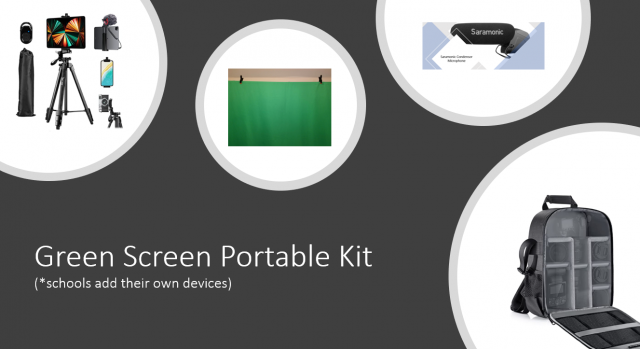
Set up Green Screen Portable Kit
Here are instructions to set up your Green Screen kit. (Video is also in Burnaby Learning Community Team – Tips, Tutorials, ProD > Files)

Building Community and Hour of Code
Hi everyone! Michelle here, I’ve taken over the Learning Tech blog for a moment to share with you all some exciting resources for Hour of Code and Comp Sci Education Week. I will also be introducing the new Burnaby Learning Community in MS Teams! Read on to learn more. December is creeping up quickly and…
ChatterPix – Image and Voice Collide
Use ChatterPix to tell a story. Take a picture, draw a line for the mouth, and record. This recording allows 30 seconds. Connect to learning – Story is as much about what is said and what is hidden behind the pages. At its simplest, this app could be used to record a single segment of…
Voice Record Pro – Audio Story
Use Voice Record Pro to record an audio story. This professional grade quality app is handy for communicating voice. Use the meter to gain immediate feedback while you are recording. Tell your story, read a book, record a speech. Listen to the results and independently self assess. Decide if there are parts that you wish…
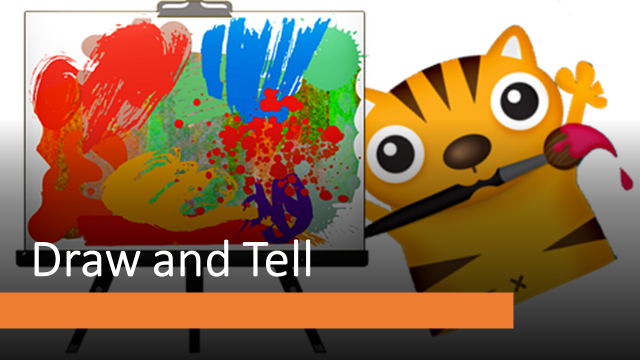
Draw and Tell
Draw & Tell is a great app for Primary to use in storytelling. The simple interface provides opportunity for drawing, puppet stickers and audio recording to tell an animated story. You can also add in a captured image of a story workshop or a hand drawing as background. Multiple uses in documentation. Background images…
Convert IPad Videos using Photos/Video App
Using the Photos/Video App on Windows10 can be used to convert ipad videos into mp4. When uploaded to websites, it uses the native video player to give a better audience experience.
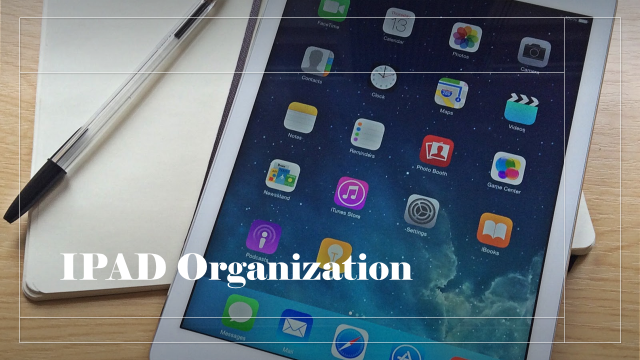
IPad Organization
Organizing apps will save you time. It is also part of Digital Literacy – File Management. Categorize apps into groups and create folders to house them. This example uses types of action (DO) as the organizing structure. What about using external microphones to get better recordings? There are lots of options. This particular one takes…
Create Shortcuts on IPads
Shortcuts of highly used websites is a must for easy access and support efficiencies in time. This video will show the steps how you can add your class blog sites, student blogFolios or any website to your idevice.
Upload Files from IPAD to Blogs (or student blogFolios)
Upload any media file saved on your idevice to your classblog or student blogFolios. Simply follow these steps.
Showcasing IPAD created videos on Blogs or Websites
Videos created on ipads are saved as .mov files and are large and bulky. When uploading to a website, converting to mp4 or m4v and compressing offer a streamlined experience for audiences. Using Any Video Converter (free downloadable: https://www.any-video-converter.com/) completes this process in one go. If you have more than one video, this process is…

Winter Ponderings
It is the middle of winter and the anticipated snow advisory came but not really. Over the weekend, EdCampBC – Core Competencies organized by Janice Novokowski and Carrie Antoniazzi moved online and this effort was not lost on the participants who attended. It really showed that there are significant positives as more people from all…

It’s November – Leveling Up Feedback
Feedback could be considered the basis to all learning in whatever capacity. Consider a golf swing – you gain immediate feedback when that tiny ball doesn’t quite get into that tiny tiny hole. Or perhaps it’s the cake that doesn’t quite poof up as shown in the picture of that recipe especially when they say…

It’s October – What’s Happening?
The weather is certainly autumnal. Leaves are changing and there’s a nip in the air. We have had quite a start to the year in our journey to support schools in the new environment we find ourselves. As a recap: Teams have been created for every class across K-12 with imported courses ready for use,…

Learning Walks
We are fortunate to live in an area that is surrounded with nature right outside our doorstep. The popularity of using “learning walks” add new elements to our day. I can think of the power of this opportunity in every one of the curricular areas. “What if” we placed devices in the hands of students and…
Authors & Voice – Using Google Classroom/GAFE
Storytelling is about discovery; discovery of oneself, discovery of our relationship with the world, discovery of questions within ourselves. Purposefully and intentionally immersing technologies that are simple to grasp, amplifies the discovery allowing the power of voice to lift off. This year’s joint project between Learning Technologies and Literacy accessed the collaborative nature of Google…
2018 Top “15” iPad Apps
Yes, yes..apps come and apps go. Some maintain their longevity and merely get face-lifts, while others no longer exist. This is one reason we do not rely on apps themselves and focus on the goals of learning. As always, we have connected them to the Competencies. So here goes with our newly edited list of…
Mid November Reflections – Voices
It’s mid November and the leaves have displayed their Fall colours (either still hanging onto trees or splashed across the landscape). We truly live in a wonderful part of the world. One of our concentrations is to provide a written voice for every student. Six teams of classroom and LSS/ELL partnerships from six schools launched,…
Technologies Amplifies and Changes the Way We Create
Is it “technologies amplifies our ideas and changes the way we create”? Or is it the other way around or both in tandem? Last week our district came together for Pro-D. Aptly named “District Day”, it’s a day dedicated to learning and exploring together – meeting and connecting with friends and colleagues from other schools….
Updated Top 20 Apps for 2017
Finally rounding off our list of vetted “must have” TOP 20 APPS for 2017. While these are in no order, the apps can be categorized into two areas – student voice/design/creativity and productivity. Stay tuned for future posts on how you might use some of these apps. Design –*Communication, Creative Competencies Pic Collage Kids (elementary), Pic…