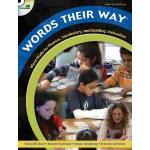
 Today we started our first of 4 learning sessions on Words Their Way, by Invernizzi, Bear, Templeton and Johnston. In a nutshell, the program provides a developmental curriculum for phonics/spelling instruction, while also promoting reading fluency and vocabulary development. Its hands-on approach marries well with what we know about how the brain uses categories to group items for meaning making. In doing so, we allow students to make their own decisions about words as well as articulate their understandings.
The Spelling Inventory from the program is a powerful way to assess our students’ orthographic knowledge. More importantly it is the vehicle that helps us to group our students for instruction tailored to their needs. It is not a one-size-fits all.
Routines and “how to organize” the experiences were modeled. This will be picked up to be continued during the February 25th district pro-d.
Many questions popped up:
- How do we know where our students are in their literacy progress?
- How do we systematically advance the learning of every student?
- How do we organize the instruction so that we access multiple areas of the brain?
- How do we organize our groups for those teaching sessions?
Other questions may pop up and will be added to this.
What are your questions or what are your thoughts so far? (Click on Leave a Comment)
HOMEWORK:
- given your grade level, choose one of the assessment inventories to assess your students
- bring the marked copies of the spelling inventory to our next session on February 2
February 2 – Session 2 Focus:
- interactive session incorporating some of the routines of Words Their Way
- the use of technology as an element to elicit multi-modal responses and practice